01
Start with a beat
One button drops a drum beat onto the built-in kit. Add a MIDI track, pick a synth preset, and write the 808 underneath it.
+ Drum beat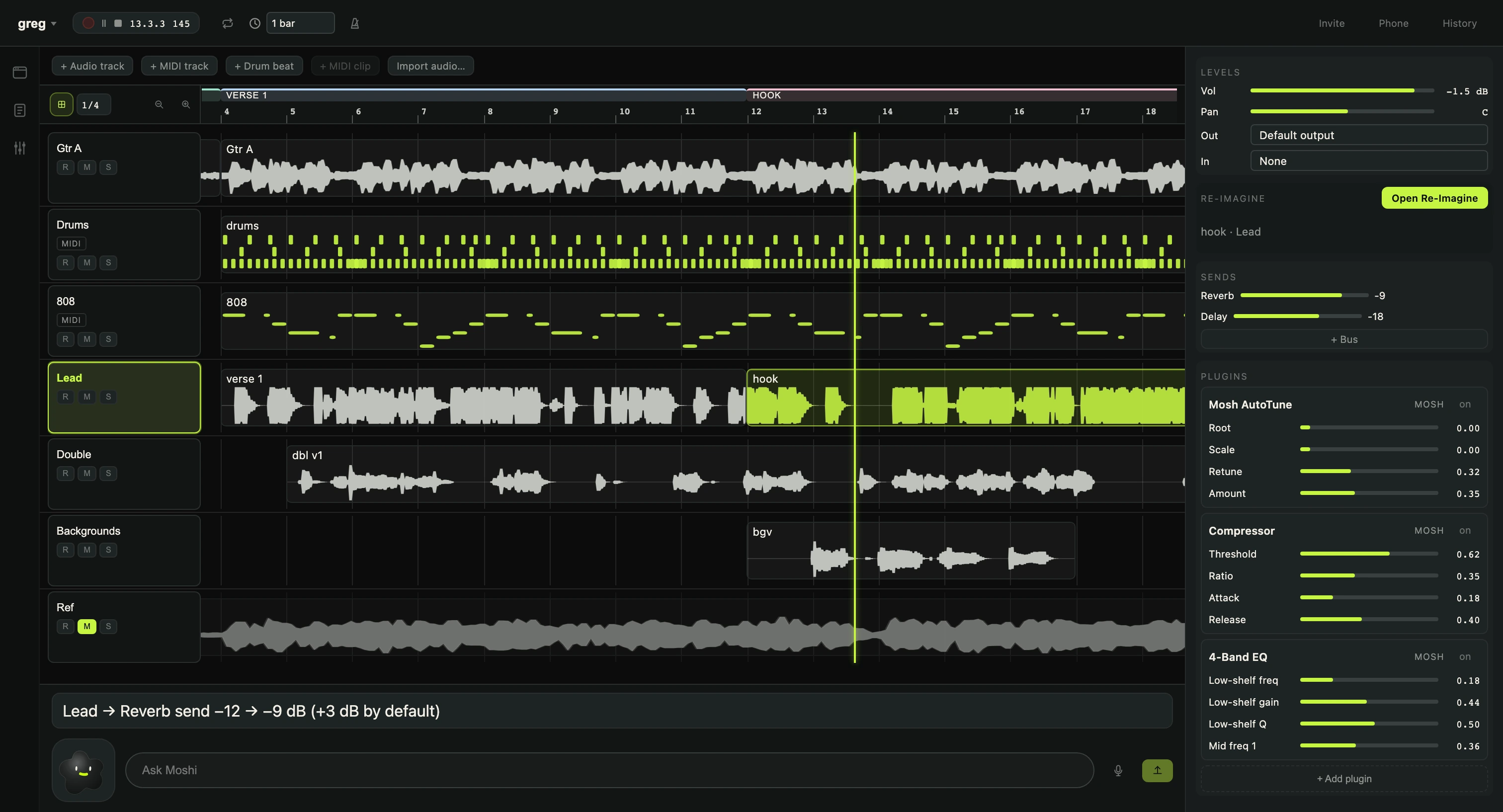
Mosh is a music studio for your Mac with a creature living in the corner. Drop in a beat, record a vocal, and tell Moshi what you want changed.
The real app, on a real song. Pick a colorway and the whole studio follows.
Mosh is a native Mac app, not a browser tab. The drum kit, the synth, the tuner and the mix tools are already inside when you open it.
One button drops a drum beat onto the built-in kit. Add a MIDI track, pick a synth preset, and write the 808 underneath it.
+ Drum beat
Arm a track, set a count-in, and sing. Takes land on the timeline as clips you can cut, double and stack into a hook.
Count-in · 1 bar
Mosh AutoTune, a compressor and a four-band EQ ship with the app. Your own VST3 and AU plugins load beside them and open in their own windows.
+ Add plugin
Select a clip, describe where it should go, and Mosh renders a new version of that take on your own Mac. Audition it, then keep it or throw it away.
Runs locally
Type what you want in plain words. Moshi makes the change with the same commands your own clicks use, so it shows up in History and one undo takes it back.
A replay of real replies from the session above. The live Moshi is in the app.
Start a session, send a room code, and you are both inside the same project, each on your own machine.
Each of you takes a track, and a small lock shows who is editing what. The song syncs between you. Your voices don’t, so keep a call open on the side.
Scan a code with the iPhone camera and a controller for the session opens in Safari. There is no app to install.
Mosh is in playtest with friends. The guide takes about ten minutes, and everything you run into makes the next build better.
Open the playtest guideLeave an email and you’ll get a build when the next round opens. No newsletter.